Flickering LED downlights when dimmed is a common concern among homeowners and industry professionals alike. According to a report from the National Electric Manufacturers Association (NEMA), up to 30% of consumers experience issues with LED lighting compatibility. They query, "Why are my LED downlights flickering when dimmed?" frequently, highlighting the significance of this issue. As lighting expert Dr. Emily Prior states, "Understanding the root causes of flickering is essential for achieving optimal lighting performance."
Several factors contribute to this problem. Incompatible dimmers, inadequate wiring, or low-quality LED bulbs often lead to flickering. Consumers are often left frustrated, wondering about possible fixes. Yet, finding a reliable solution can be challenging. For instance, the energy efficiency of LEDs emphasizes the need for compatible dimming systems to prevent fluctuations. Even with high-quality products, mismatches can occur, emphasizing the importance of seeking expert advice for proper installation and selection.
It's crucial to recognize that even small variations in voltage can result in noticeable flicker. This can affect ambiance and comfort in your space, posing a challenge for homeowners and installers. Addressing the flickering issue not only enhances lighting effectiveness but also improves energy efficiency. In pursuing a solution, the journey can sometimes reveal unexpected roadblocks that require thoughtful consideration.
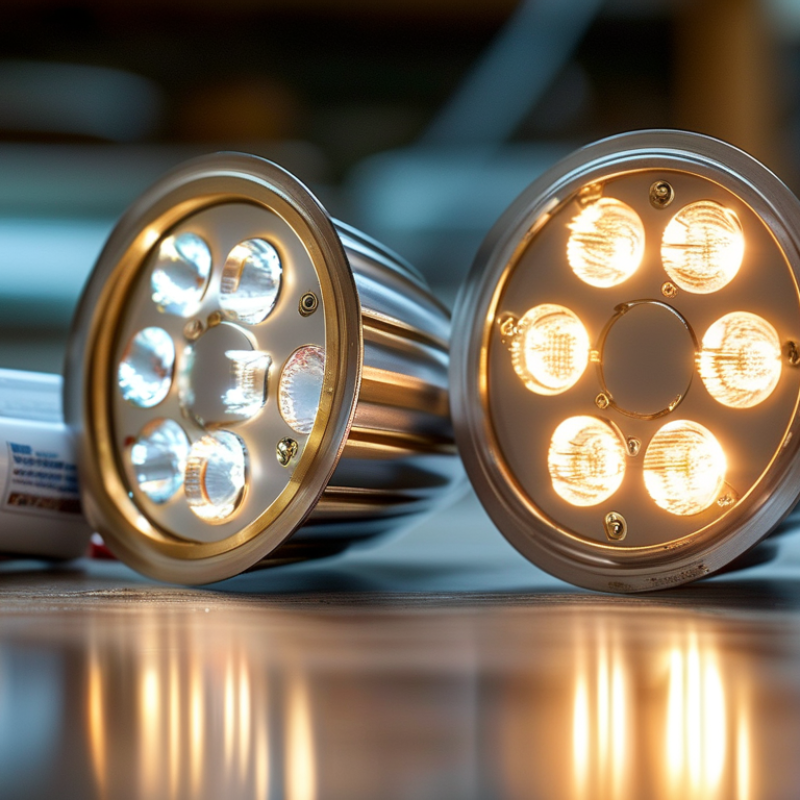
Flickering LED downlights can be frustrating, especially when dimmed. This issue often arises from incompatible dimmers or poor connections. When you lower the brightness, some LEDs may struggle to receive consistent power, causing them to flicker.
To address this problem, consider the type of dimmer switch you are using. Not all dimmers are designed for LED lights. A mismatch could lead to unstable performance. Look for dimmers labeled as LED-compatible. This small change may significantly enhance your lighting experience.
Improper wiring can also lead to flickering. Loose connections can create interruptions in power delivery. Ensure all wiring is secure and check for any damaged cables. Inspect your fixtures regularly, as wear and tear can contribute to issues over time.
Tips: Test different dimming levels to find a stable setting. Sometimes, a specific range works best. Keep a close eye on your lights. If flickering persists, consult an expert for deeper issues. Understanding these factors is crucial for a flicker-free environment.
Flickering in LED downlights often frustrates users, especially when dimmed. Understanding the common causes of this issue can help address it effectively. A significant reason for flickering is incompatible dimmer switches. According to a report by the Lighting Research Center, around 60% of dimmer switches on the market are not designed for LED technology. This mismatch leads to inconsistent power supply and flickering effects.
Another frequent cause is voltage fluctuations. LED lights require stable voltage levels to operate properly. A study from the National Institute of Standards and Technology found that minor voltage changes can induce flickering in LEDs. If the voltage dips below the LED's operational threshold, the light may flicker or even turn off momentarily.
Lastly, poor connections in the electrical circuit can exacerbate the problem. Loose wires or faulty connections create intermittent power delivery, which negatively impacts the performance of LED fixtures. Regular inspections and ensuring secure connections can mitigate flickering incidents significantly. However, not all flickering can be prevented, prompting ongoing discussions in the industry about standards and practices for dimming LED products effectively.
Choosing the right dimmer switch for LED lighting can significantly improve your experience with flickering downlights. Many people overlook this crucial step. Not all dimmers work well with LED technology. This mismatch causes lights to flicker when dimmed.
Look for dimmers labeled specifically for LED use. These dimmers manage the lower wattage of LEDs effectively. When selecting a dimmer, consider compatibility with the total wattage of your LEDs. Insufficient wattage capacity can lead to inconsistencies in dimming performance. Check user reviews for insights on which models perform best with LED lights.
Another point to consider is the installation process. Improper installation can lead to flickering issues, even with the right dimmer. It’s wise to consult an electrician if you're unsure about the wiring. Some consumers attempt DIY installations but end up with more problems, such as noise or intermittent flickering. Realizing that a simple oversight can lead to annoying issues is key. Your lighting situation deserves the right treatment for a smooth performance.
Flickering LED downlights can be frustrating, especially when dimmed. This issue often stems from incompatible dimmer switches. Older dimmers may not be designed for LED technology. Upgrading to an LED-compatible dimmer can resolve this problem. Check the wattage rating of your dimmer. Exceeding its limit can also cause flickering.
Another common cause is loose or faulty connections. Inspect the connections in your light fixtures. Ensure wires are tightly secured. Consider rewiring, if necessary. If the lights still flicker, a voltage fluctuation might be at play. Using a multimeter can help track unstable levels. Adjusting your circuit or consulting an electrician could be crucial.
In some cases, the LED bulbs used may not be high quality. Cheaper bulbs tend to flicker more often. Investing in better-quality LED bulbs can provide a more stable performance. Ultimately, understanding the root causes of flickering is essential. Addressing these issues can lead to a better lighting experience. Remember, sometimes solutions require more than just replacing a bulb.
| Step | Description | Common Causes | Solutions |
|---|---|---|---|
| 1 | Check Compatibility | Incompatible dimmer switch | Replace dimmer switch with LED-compatible model |
| 2 | Inspect Wiring | Loose or damaged wiring | Tighten or replace wiring as necessary |
| 3 | Test LED Bulbs | Faulty LED bulbs | Replace any defective bulbs |
| 4 | Adjust Dimmer Settings | Improper dimmer settings | Adjust dimmer to a higher setting |
| 5 | Check Power Supply | Fluctuating power supply | Contact an electrician to inspect the supply |
Preventing flickering in LED downlights requires a comprehensive approach. One common cause of flickering is an incompatible dimmer switch. Older dimmers may not work well with modern LED bulbs. Replace outdated dimmers with compatible ones. Ensure the dimmer is specifically designed for LED use. This simple step can resolve many flickering issues.
Another preventive measure involves checking electrical connections. Loose wires or faulty connections can lead to intermittent power supply, causing flickering. Regularly inspect your wiring and tighten any loose connections. If you're not comfortable doing this, hire a qualified electrician. Lighting fixtures should also be secured properly. Ensure they are mounted correctly to avoid future issues.
Incorporating these changes can significantly enhance your lighting experience. Addressing potential problems proactively is key. Being vigilant about the compatibility of your fixtures will save you time and frustration. Remember, even small details matter in maintaining a flicker-free lighting environment.
: Flickering often results from incompatible dimmer switches or poor connections.
Look for dimmers specifically labeled as LED-compatible for best performance.
Inspect the wattage rating. Exceeding it can cause flickering issues.
Loose connections or damaged cables can interrupt power delivery and cause flickering.
Test different dimming levels and check connections. This may lead to a stable setting.
Consult an expert or electrician. There may be deeper issues to address.
Yes, low-quality bulbs often flicker more. Investing in better bulbs can help.
Regular inspections are essential. Wear and tear can contribute to flickering.
Yes, unstable voltage levels can lead to flickering. Use a multimeter to check.
Sometimes, other issues exist. More may be needed than just replacing the bulb.
Flickering LED downlights when dimmed can be a frustrating issue for many homeowners. The primary reasons behind this flickering often include incompatible dimmer switches, poor quality LED bulbs, or wiring issues. To address the question, "Why are my LED downlights flickering when dimmed?" it is important to understand the relationship between LEDs and dimmer switches, as not all dimmers are compatible with LED technology.
To fix flickering, homeowners can start by checking the compatibility of their dimmer switches with LED lights. Troubleshooting steps may involve replacing the dimmer, ensuring proper wiring connections, and using high-quality LED bulbs designed for dimming. Additionally, taking preventive measures, such as selecting the right products from the outset and consulting professionals, can help avoid future flickering issues and enhance the overall performance of LED lighting in the home.

Ledic Lighting